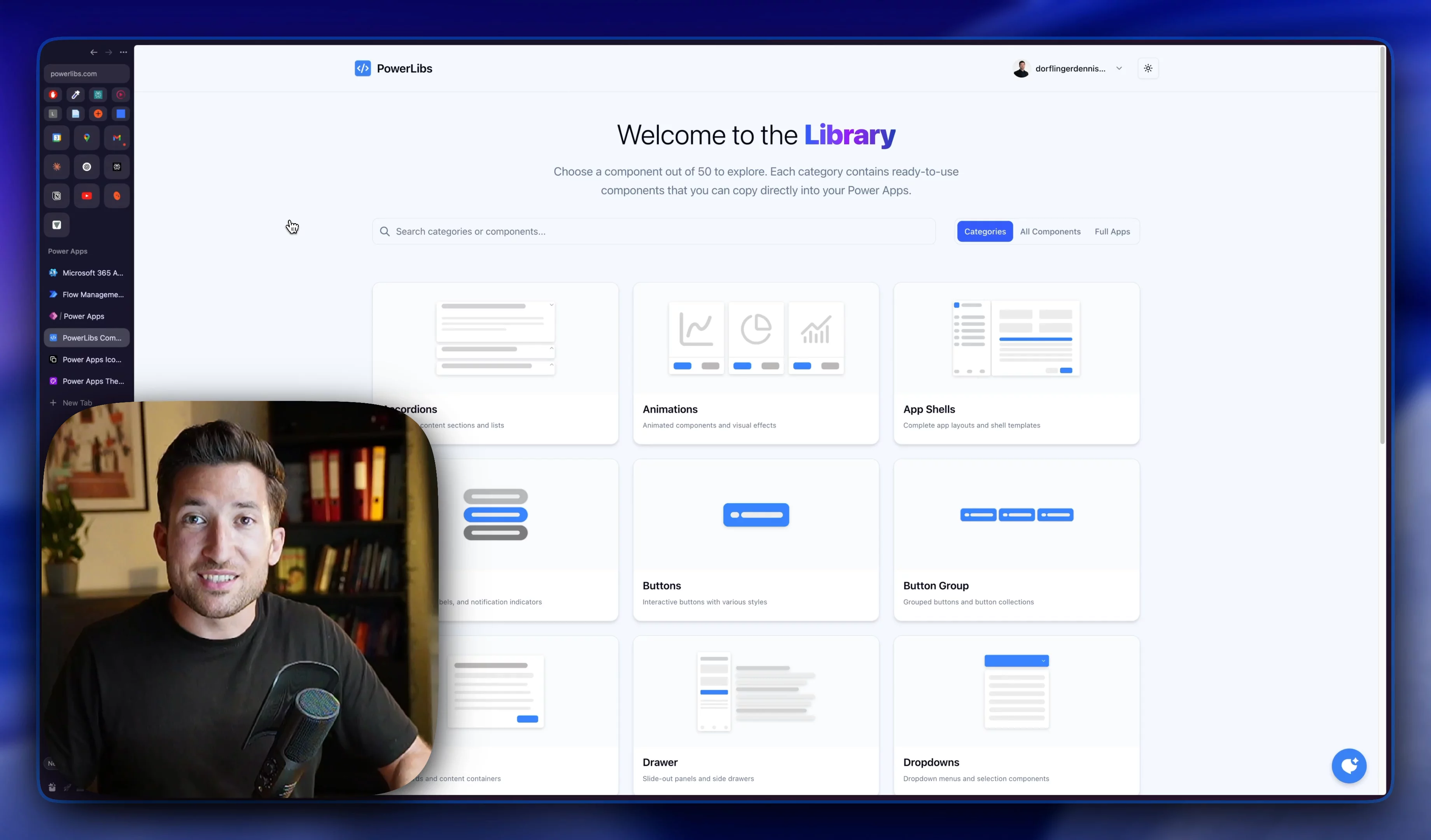
Used by Power Apps developers at
PowerLibs Component Library
Professional Components
Explore a collection of ready-to-use Power Apps components. Each component includes live preview, customizable settings, and copy-paste YAML code.








Full apps, not only parts
Whole apps you can paste
5 complete apps for the things every company needs: projects, stock, feedback, support tickets, approvals. Every screen is copy-paste YAML for Power Apps Studio, resizes on phones, and ships in light and dark. Take the tour, then copy the code.
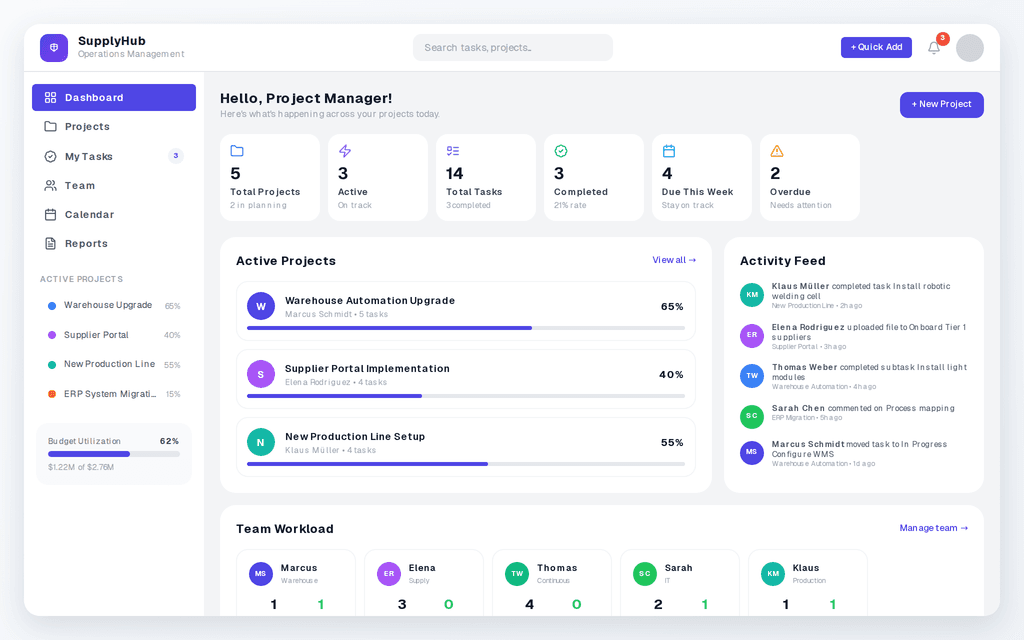
Project Management App
3 screensA project management dashboard with projects, tasks, team workload and activity tracking, in light and dark.
Take the tour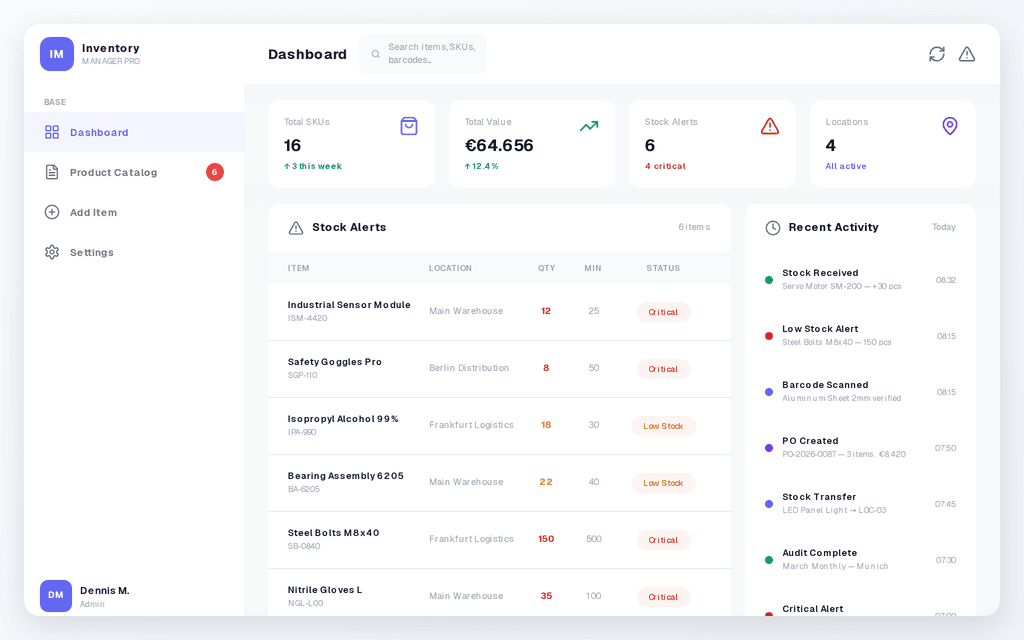
Inventory Manager
3 screensTrack stock levels, browse products and add new items from one inventory app.
Take the tour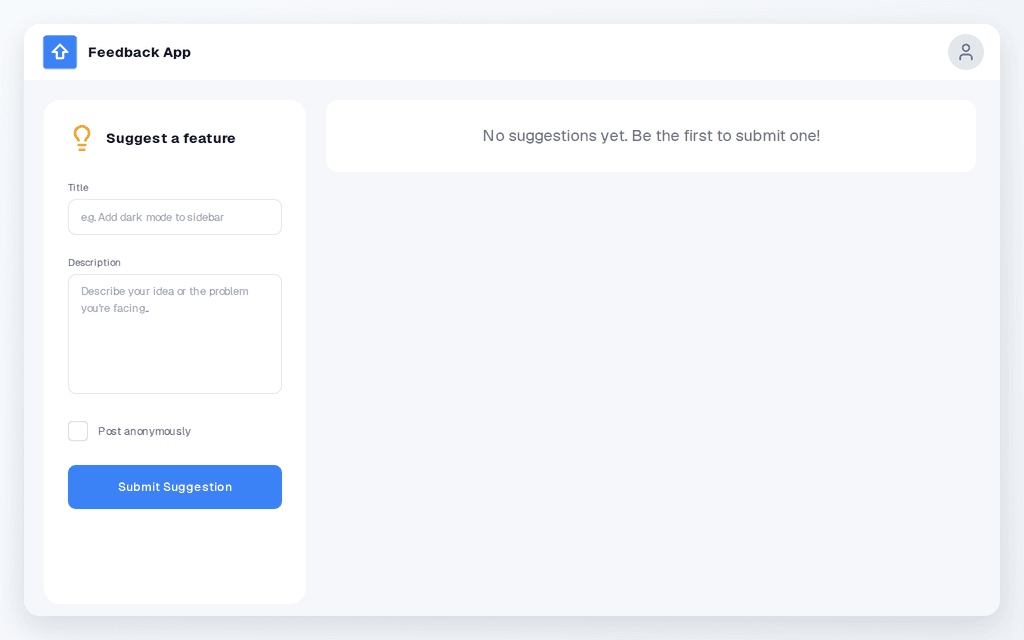
Feedback App
1 screenCollect feature requests and bug reports, and let people vote on them.
Take the tour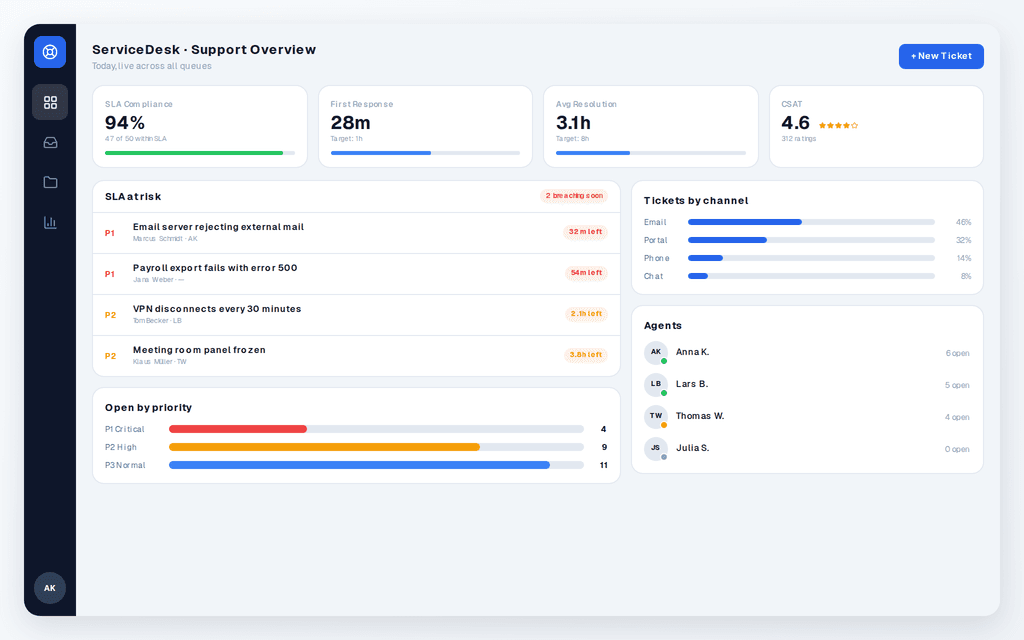
Helpdesk App
2 screensA support desk with a ticket inbox and an SLA dashboard, in light and dark.
Take the tour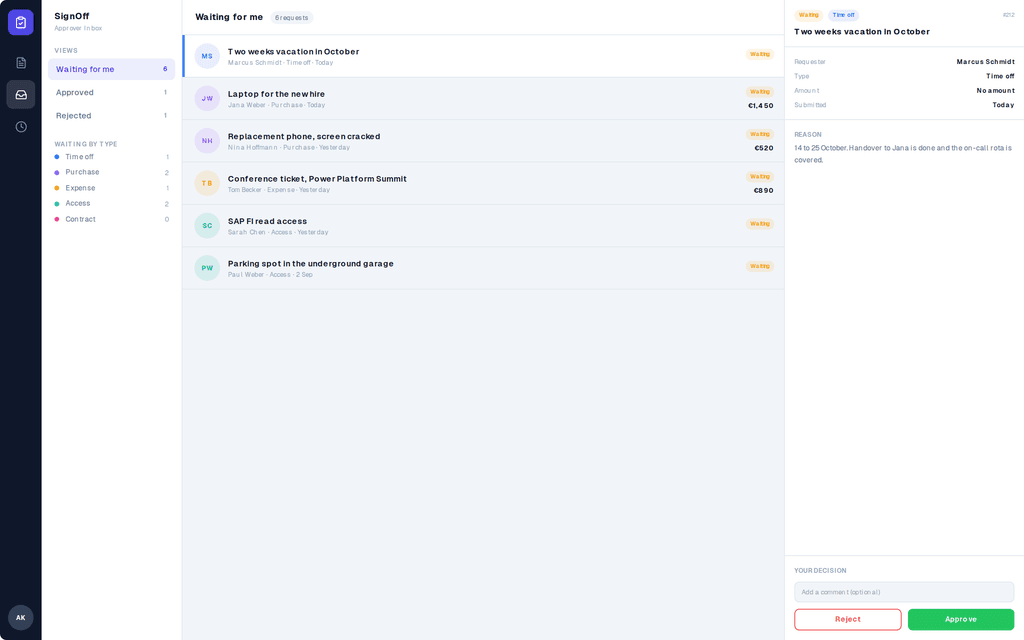
Approvals App
3 screensRequest, approve, reject, and see every decision. Time off, purchases, expenses, access, contracts.
Take the tourTestimonials
What Power Apps developers say
“I had issues with wasting time trying to come up with clean and consistent reusable designs. The Modals, Navigation Bars and Sidebars are a game changer for me.”
“In a recent client project I used your DrawerSide and Accordion components. Both saved me a tremendous amount of time since I didn't need to build reusable components from scratch.”
“PowerLibs has basically become my go-to toolbox. … whenever someone asks how I can work so fast, PowerLibs is one of the first things I mention.”
MCP Integration
Use PowerLibs without leaving your AI editor
Connect your AI editor to PowerLibs over MCP. Ask for a component and get ready-to-paste Power Apps YAML back. Your AI browses all 180+ components, applies your settings, and looks up Power Fx formulas for you.
Works with
 Claude
 Cursor
 VS Code
 GitHub Copilot
https://www.powerlibs.com/api/mcp Called PowerLibs MCP · search_components("sidebar")
Found Collapsible Sidebar in PowerLibs and generated the YAML with your settings:
- SidebarNav:Control: GroupContainer@1.3.0Properties:Width: =280Fill: =RGBA(15, 23, 42, 1)Height: =Parent.Height
Power Tools for Power Apps
Beyond Components
The library comes with a workshop attached. Generate logos, build forms, pick color themes, and edit SVGs, then paste the result straight into Power Apps.




Who gets the most out of PowerLibs
If you build Power Apps for a living, or want to, the library meets you where you are.
Learning Power Apps
Paste a finished component, then open the YAML and see how it is built. Real containers, real formulas, real naming. It teaches while you ship.
Building solo
You are the whole dev team. Stop losing half a day per screen to UI work and spend it on the logic your client is actually paying for.
Shipping as a team
One shared library, one design language. Every app your team delivers looks like it came from the same hands, not five different ones.
"I was able to create a requested feature while still on the phone with management so they could view the result in real time. All these components are well worth it and I am glad to have them available to me whenever I need them."
PRICING
Subscribe, or just pay once
Components for the YAML, Ultra for the full experience, or Lifetime to own everything forever. Whatever you pick, what you unlock stays yours.
Lifetime
Everything, forever. Including all future releases.
- All 180+ Power Apps components
- Full apps: complete dashboards and screens
- Copy & paste YAML code
- Everything, forever. No subscription, no renewal
- All future components and full apps included
- MCP for Claude, Cursor, and Copilot included
- Form Builder
- Logo Generator
- SVG Library (save your icons)
- PowerFX Toolkit
- Component quick settings
- Custom Components (save & share your own code)
- Community Library (browse & share components)
- All future tools & features
MCP for Claude, Cursor, and Copilot is included. Metered API credits are not included.
Ultra
That's ~$16.58/month
- All 180+ Power Apps components
- Full apps: complete dashboards and screens
- Copy & paste YAML code
- Everything you unlock stays yours forever, even if you cancel
- New components while subscribed
- AI Tools (Claude, Cursor, Copilot integration)
- Form Builder
- Logo Generator
- SVG Library (save your icons)
- PowerFX Toolkit
- Component quick settings
- Custom Components (save & share your own code)
- Community Library (browse & share components)
- All future tools & features
30-day money-back guarantee
Components
Annual only
All components, no tools. Copy & paste ready-to-use code into your apps.
- All 180+ Power Apps components
- Full apps: complete dashboards and screens
- Copy & paste YAML code
- Everything you unlock stays yours forever, even if you cancel
- New components while subscribed
- AI Tools (Claude, Cursor, Copilot integration)
- Form Builder
- Logo Generator
- SVG Library (save your icons)
- PowerFX Toolkit
- Component quick settings
- Custom Components (save & share your own code)
- Community Library (browse & share components)
- All future tools & features
30-day money-back guarantee
Frequently Asked Questions
Got questions? I've got answers